We’ve been building toward this for a year. In June 2025 we shipped a working PWA from a park bench — spec dictated into ChatGPT voice mode, three cloud agents racing on the same PRD — and the punchline was that Cursor’s agent won but you couldn’t even start it from a phone. Fifteen months later every vendor has a phone story, Poke will text you when your agent finishes, and the question has changed from “can you?” to “where exactly does it still break?”
This survey maps that. First the idealized loop — what phone-first development should feel like when you’re living on the phone, talking to it, putting it down for fifteen minutes and coming back to the next decision. Then the mapping, axis by axis — voice, offline, environments, secrets, MCP, previews, the build loop, databases, DNS — with screenshots of what actually exists today.
The cast changed between the July draft and this one. On August 11, xAI shipped Grok Bot: always-on agents that sign in with your Cursor account and, when the work is a repo, hand it to a Cursor Cloud Agent. That collapses two of our three seams into one product, and it’s now the loop we run by default: Grok Bot in front, Cursor Cloud Agents behind, the environment set up once on Cursor. The runner-up is Sourcegraph’s Amp — its orbs were three weeks old and phone-thin in July; by September they had preview URLs, OAuth’d MCP, an iOS app, and a price cut. OpenAI’s Codex Cloud and Claude Code on the web round out the field, and neither moved much on the axes that matter here.
The verdict up front: the phone-only project is real, but it lives or dies on three seams — whether your agent can show you the running app (previews), whether it can reach your infrastructure (MCP and secrets), and whether finishing one job can start the next (automations). Cursor is furthest along on all three, and Grok Bot is the first front door that makes the third seam something you talk to rather than wire up. Amp closed most of its gaps and is the platform to pick if you’d rather own the machine than rent the loop. Codex has the best mobile app and the weakest cloud integration story. Claude Code has the best repo-portable brain (skills, hooks, .mcp.json travel with the repo) and the roughest edges everywhere else.
Part I — The idealized loop
The day it should feel like
You’re out. A thought lands: the onboarding flow needs saved filters, or the side project needs to exist at all. You hold a button and talk — not type — for ninety seconds. The transcription is clean enough to include words like “Clerk” and “idempotent.”
The agent doesn’t start coding. It starts interviewing — one question at a time, the way our grill-with-docs skill does it: what’s in scope, what’s explicitly out, per-user or shared, what does success look like. It separates facts it can discover (how auth currently works — it reads the repo) from decisions only you can make (is SSO in scope this quarter). You answer by voice while walking. Ten minutes in, it says: here’s the spec, here’s the ticket graph with blocking edges, ticket 1 is unblocked — start?
You say start and put the phone in your pocket.
Fifteen minutes later the phone buzzes. Not “I’m done” — “preview is live, here’s the URL, here’s a 40-second video of me clicking through it, and I’ve queued ticket 2 which was blocked on this one.” You tap the preview, poke at it on the actual device it will be used on (that’s the quiet superpower of phone-first: you review mobile UI on a phone), circle the broken padding with your finger, and say “this — tighten it, and the empty state is wrong, look at how the dashboard does it.” Then you go back to your life.
The loop runs itself: build → verify → preview → notify → next ticket. You’re not the executor. You’re the editor-in-chief with a phone, and the only interruptions are decisions.
What each stage needs
Specification. Voice-first intake; an interview mode that refuses to code until alignment lands; output as durable artifacts (spec + tickets in the tracker, ADRs and glossary in the repo) so the next session inherits the understanding. This is exactly the grill-with-docs → to-spec → to-tickets loop — it’s model-agnostic and lives in the repo, so any of the vendors’ agents can run it.
Prototyping. Before the spec hardens, cheap artifacts to react to: three radically different takes on the screen, deployed to a preview URL, switchable with a query param — our prototype skill pattern. On a phone this is better than on a laptop: you swipe between variants where your users will.
Execution and verification. The agent runs in a cloud VM with your dependencies warm, your secrets injected, and a browser it can drive. It must prove its work — run the tests, click the flow, record the video — because you’re not going to pull the branch. You were never going to pull the branch.
Steering. Screenshot annotation (draw on the thing), dictated follow-ups, inline diff comments that feed the next turn. Review happens in three surfaces: the agent’s chat, the PR, and the preview URL.
The switchboard. Jobs trigger jobs: PR opened → review agent; CI red → fix agent; ticket 1 merged → ticket 2 starts; nightly cron → dependency-bump agent. And the notifications converge somewhere you already live — a Poke thread in Messages, or, as of August, a Grok Bot that is itself the thing you text and that starts the next agent for you.
Infrastructure. Secrets set once in a dashboard, scoped and redacted. MCP connections (Vercel, Neon, Cloudflare) authorized once with OAuth, then available to every run. Databases branch per preview. DNS is an API call with a confirm step. None of it should ever require a terminal you own.
Part II — The scoreboard
Everything below is as of September 3, 2026, from vendor docs and changelogs; sources are linked in the tool sections. The color grades are our judgment calls, argued in the tool sections below: green means it works the way phone-first needs, amber means workable with friction, red means missing or a real liability.
One note on the columns. Grok Bot has no repo runtime of its own — when the work is code it dispatches to a Cursor Cloud Agent, so several of its cells say “via Cursor.” It gets its own column anyway, because it’s the surface you actually hold: the phone app, the voice, the notifications, and the switchboard are Grok Bot’s, and they’re graded on their own merits.
Phone surface
Voice input
Offline / walk-away
Push notifications
Env setup from phone
.cursor/environment.json in the repo.agents/setup + .agents/resume; pre-clone scripts in project settings; snapshots reused 72hSecrets
MCP in cloud runs
.mcp.json + connectors; fragile in practiceSee the running app
Preview URLs
*.onamp.dev or your domain); Vercel previews for shipped branchesIteration loop
amp sync; GitHub webhooks wake orbs@codex PR comments, auto review, CI-fix on mentionJobs triggering jobs
Long-running
DB / DNS story
Part III — The tools, with the screenshots
Grok Bot: the front door that talks to Cursor
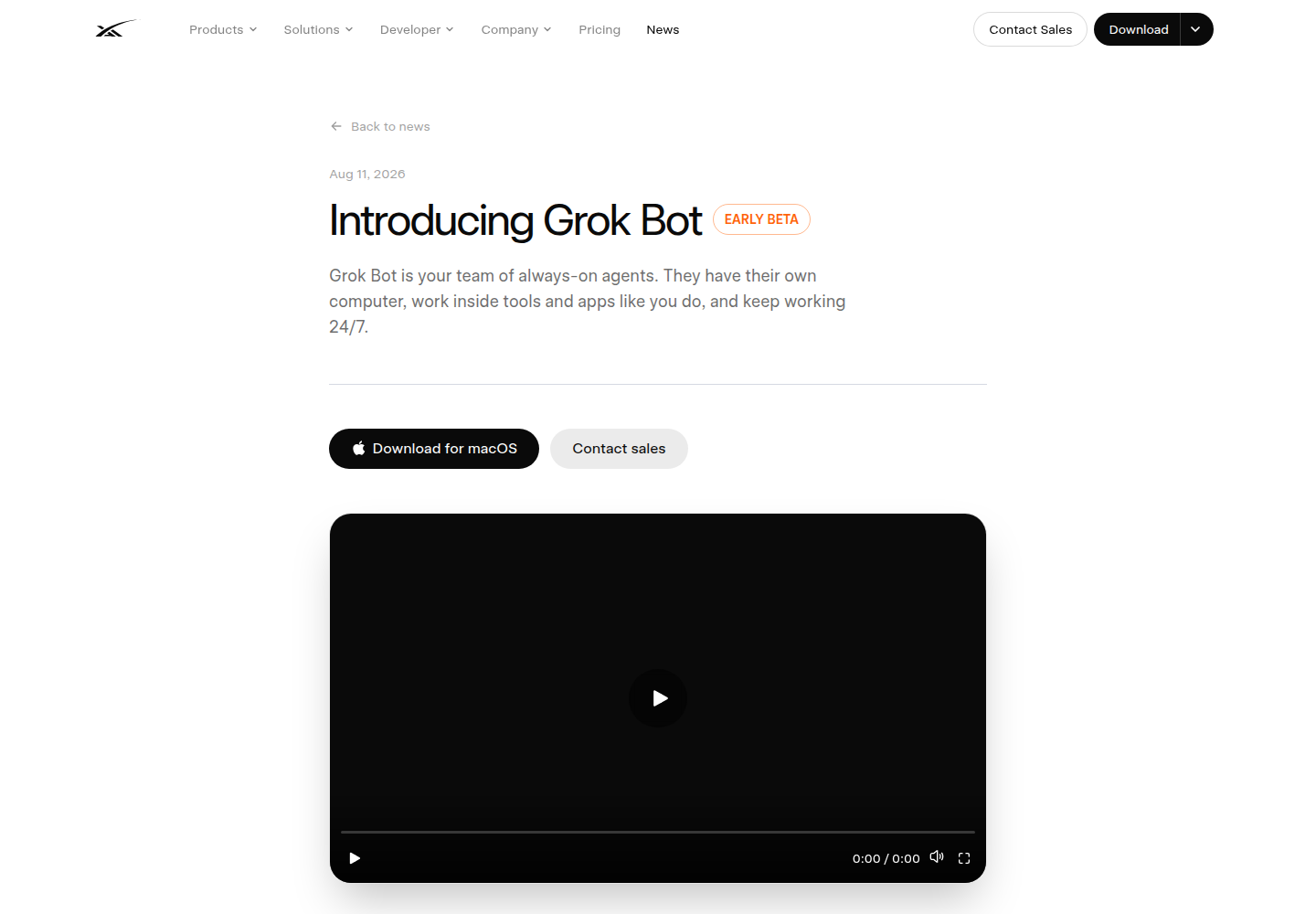
Grok Bot is xAI’s “team of always-on agents” — the product that came out of the SpaceX–Cursor merger, and the first thing in this survey that isn’t a coding agent at all. Each Bot has a job description, a persistent cloud computer (a Firecracker microVM with a browser, a filesystem, and a durable /workspace), and the ability to sign into the tools you use. It ships as a macOS/Windows desktop app and an iOS app — not as a feature inside X, grok.com, Slack, or Telegram. Bots run routines on schedules or events, hand work to each other in group chats, and can be taught by watching you do something once. Early beta, August 11; opened to every paid Cursor plan and SuperGrok on August 26.
The part that matters for this survey: Grok Bot is built on Cursor. You sign in with your Cursor account. It uses Cursor’s SSO, privacy mode, and MCP allowlist (“there is no separate Grok Bot connector list”). Its plugins come from the Cursor Marketplace. And when a Bot decides a task is repo work, it delegates:
“Grok Bot can delegate coding tasks to separate computers under your existing Cloud Agent controls. Admins can disable spawning.” — Cursor docs, Grok Bot for Teams
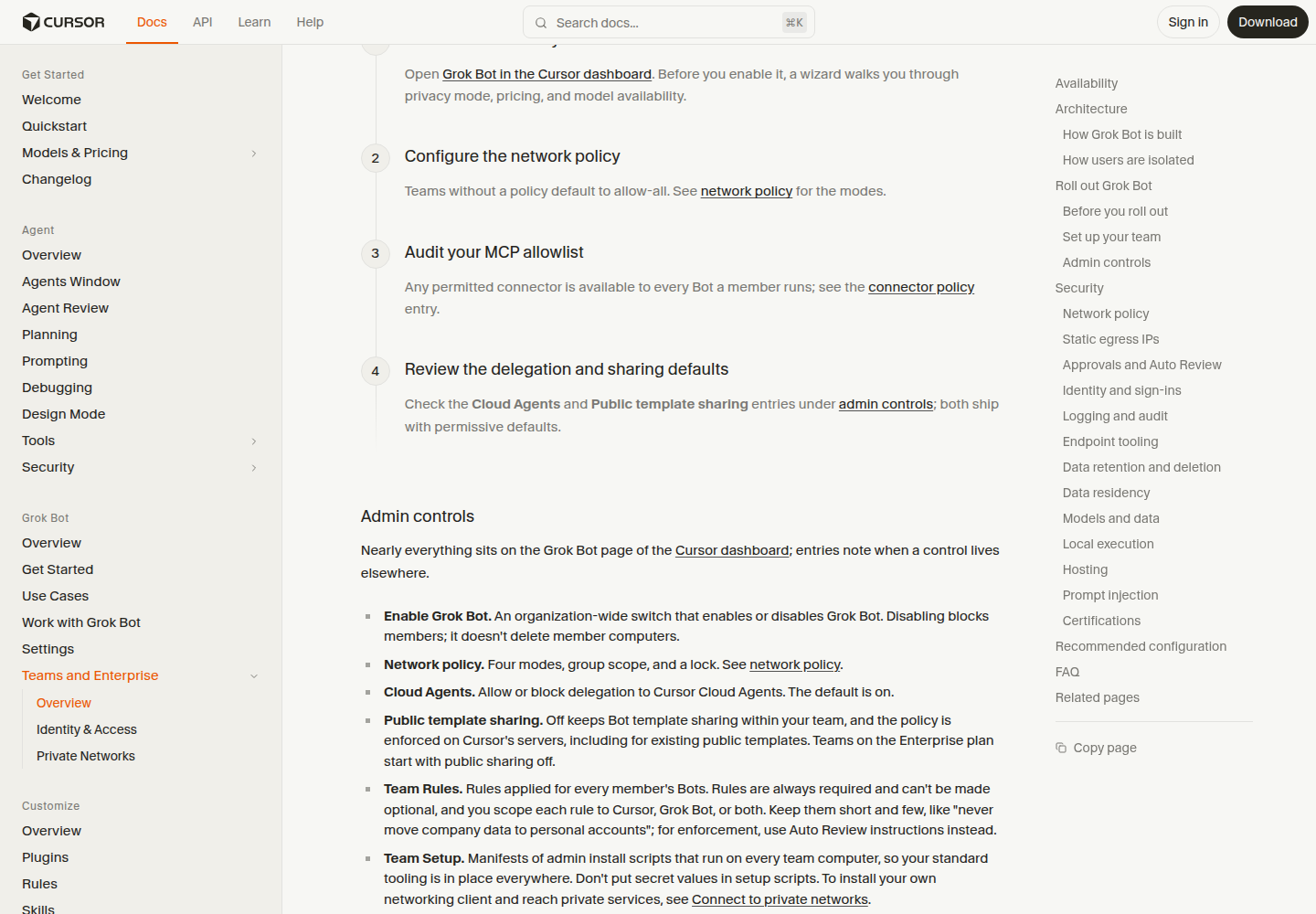
That’s the whole integration. There’s no API key to paste, no webhook, no MCP server to register. The Bot acts as you — “Bots act as the signed-in member” — so the Cloud Agent it launches runs under your Cursor account, uses your GitHub connection, boots from the environment you set up on Cursor (next section), works on a branch, and opens the PR with the usual artifacts. In the Bot’s chat the launched agent shows up as a card with the agent’s name, a status, and an “Open in Cursor” button. From a phone, that means: dictate the ask into Grok Bot, get a push when the Bot finishes or needs input, then review and merge the PR in the Cursor iOS app or GitHub Mobile. Grok Bot usage is its own weekly pool, separate from your Cursor and Grok plans; the Cloud Agents it spawns bill as Cloud Agents, at API pricing against your Cursor spend limit.
Three things to keep straight, because the naming is a mess:
- Grok as a model inside Cursor — Grok 4.6 (August 12, “trained jointly with SpaceXAI”) is a dropdown choice like any other, including for Cloud Agents. That’s a model decision, not a workflow.
- Grok Build — xAI’s open-source terminal coding agent (
grokin your shell, headless with-p, plugs into Cursor over ACP). That’s a Claude Code / Codex CLI peer, and it runs where you run it. - Grok Bot — the orchestrator app above. It doesn’t code in its own VM if you tell it not to; it dispatches. The practitioners getting the most out of it give the Bot a standing rule — for any repo work, start a Cursor Cloud Agent, don’t code on your own computer — and treat the Bot as the eng manager, not the IC.
The rough edges are what you’d expect three weeks into a beta, and all of them are documented on Cursor’s own forum. Grok-launched agents are hidden by default in cursor.com/agents and the desktop sidebar until you flip the Source → Grok Bot filter. They currently ignore your non-Fast default and run in Fast mode (2× usage) — edit the model picker on follow-ups. The /review and /review-bugbot skills aren’t attached to agents started from Grok Bot (staff say intentional for now; skills are fixed at agent creation). And neither vendor documents the transport — whether the Bot calls the public Cloud Agents API or an internal RPC — nor whether the PR URL is pushed back into the Bot chat automatically when the agent finishes. Forum users describe opening the card themselves. None of this is disqualifying. All of it is why the next section exists: the front door is only as good as the environment behind it.
Cursor Cloud Agents: the most complete loop, and how the environment gets set up
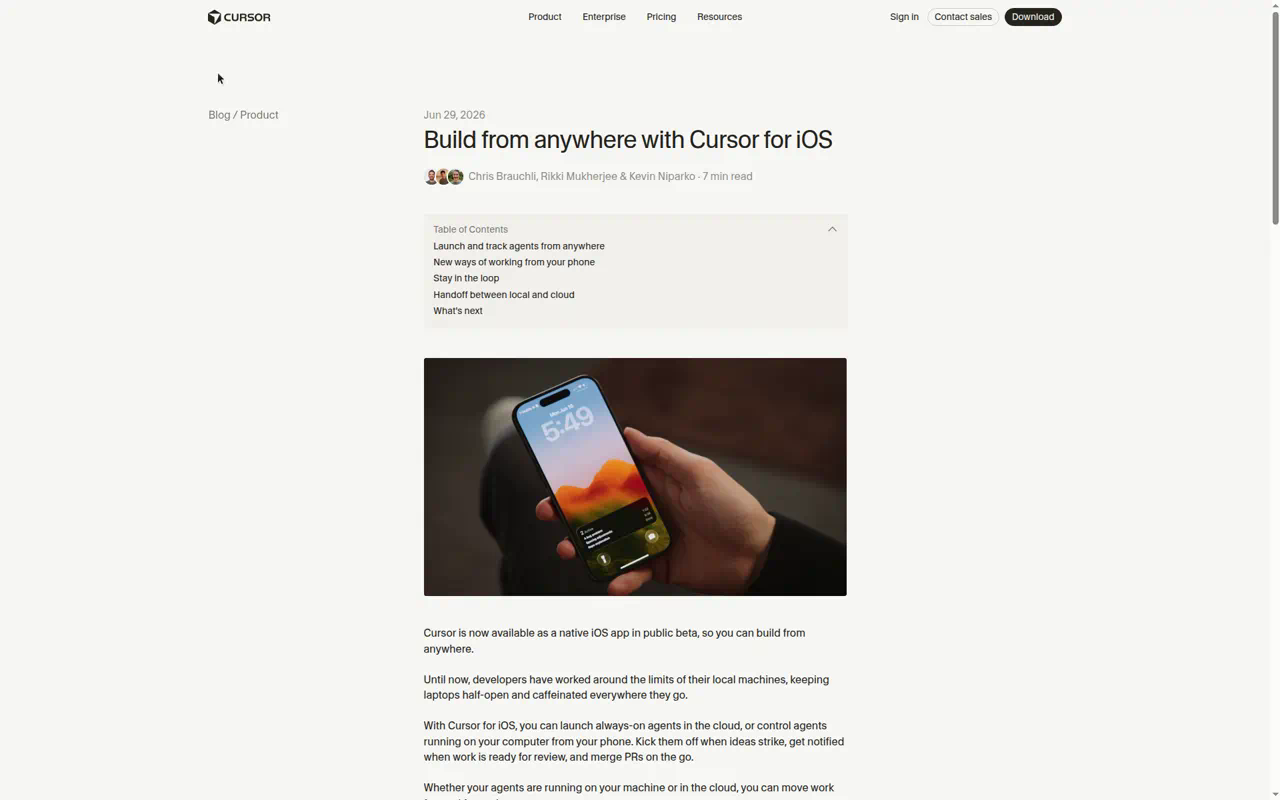
Cursor’s iOS app (public beta since June, iPad layout since July 29) is a genuine agent console, not a viewer: start agents on any repo, pick the worker (cloud machine, team pool, or one of your own machines since September 2), dictate instructions with live transcription, follow the run, read subagent transcripts, review full diffs, and merge the PR — squash, update branch, auto-merge toggle, “Fix with Agent” on failing checks — without leaving the app. Push notifications and Live Activities track up to eight agents from the lock screen. Android gets the cursor.com/agents PWA.
The three seams, in Cursor’s version:
- Seeing the app. Since the February 2026 computer-use relaunch, every cloud agent gets a full desktop VM: it starts your dev server, opens a browser, clicks through the flow, and attaches screenshots and demo videos to the PR. You can take over the agent’s desktop remotely to try the app yourself. Cursor shipped and then removed port-forwarded browser previews in favor of this for repo-backed agents — the bet is that the agent demonstrating the app beats you clicking a fragile localhost tunnel. (The August 27 “start from scratch” agents, which live on Cursor’s new Origin hosting instead of GitHub, do get a live port-forwarded preview plus design mode. That’s the exception, not the rule.)
- Reaching your infra. Cloud agents support MCP over HTTP with OAuth, proxied through Cursor’s backend so credentials never land in the VM — the pattern Vercel’s MCP expects. Repo
.cursor/mcp.jsonis still ignored in the cloud; servers are added once in the dashboard (personal, or team-wide under Integrations & MCP). What the repo can do now is restrict:environment.jsongrewmcpServerAllowlistanddisableAllMcpServersfields. - Jobs triggering jobs. Automations (cron, webhooks, Slack, Linear, GitHub events, Sentry, PagerDuty, memory across runs) are joined by Subscriptions (August 19): an agent can subscribe to a PR, a Slack thread, a Linear issue, or a timer, end its turn, and wake when the event lands. “Cloud agents automatically subscribe to PRs they create and drive them to completion.” Chain that with the agent API’s completion webhooks — or just tell a Grok Bot routine to do it — and “put the phone down and it triggers the next job” is a settings page, not a project.
Setting up the environment. This is the once-per-repo work that everything above depends on, and it’s the part most people get wrong by skipping. Cursor resolves an environment in a fixed order — .cursor/environment.json in the repo, then a personal saved environment, then a team one — so the goal is to end up with that file committed on the default branch. There are two ways to get there.
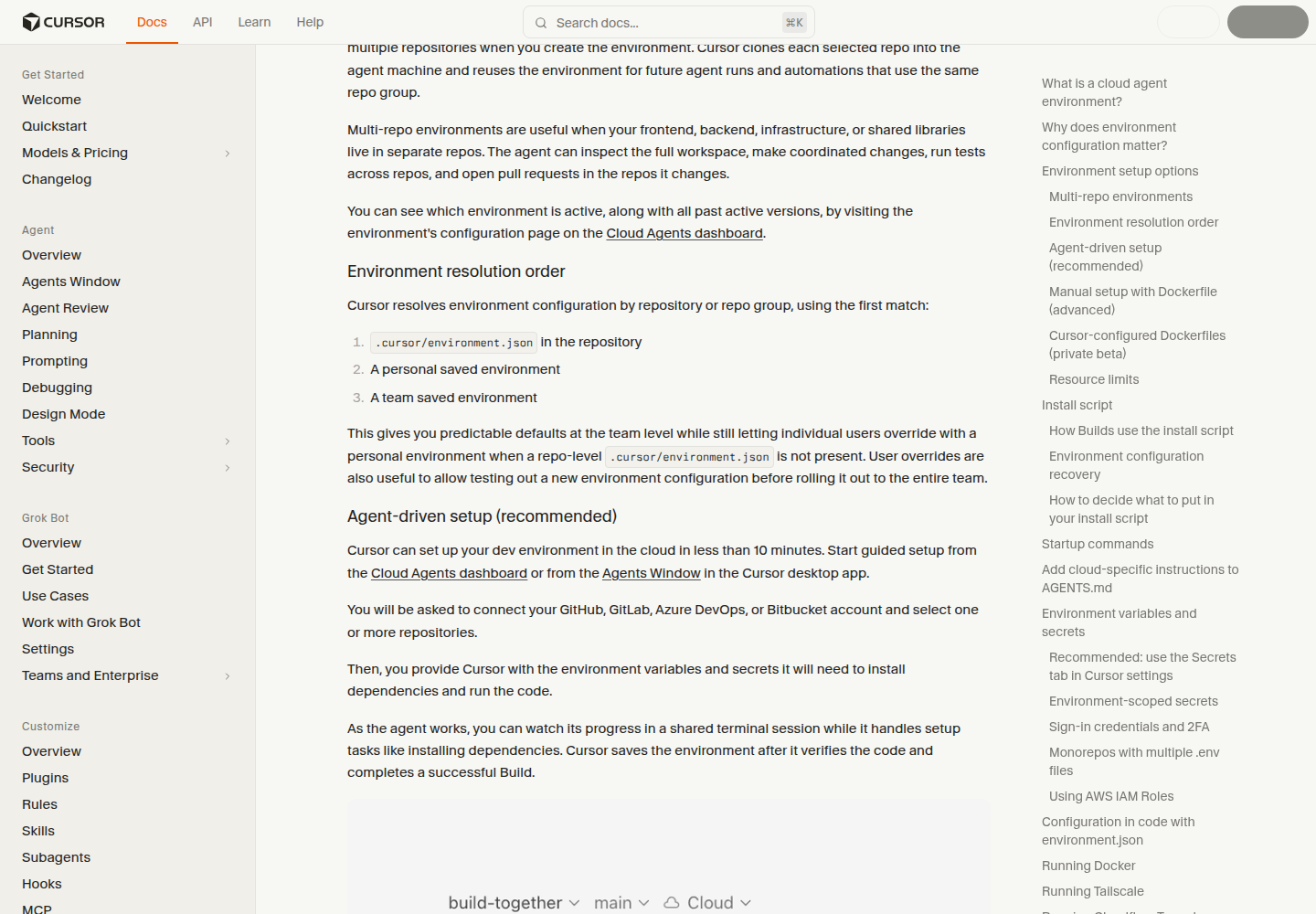
The recommended way is to let the agent do it. From the Cloud Agents dashboard (or the Agents Window on desktop) you start guided setup, connect GitHub / GitLab / Azure DevOps / Bitbucket, pick one or more repos, and hand over the environment variables it will need. Then you watch: the agent clones, installs dependencies in a tmux terminal you share with it, flags credentials it’s missing, runs a test Build, proposes install and start commands for you to approve, and snapshots the machine. Cursor saves the environment “after it verifies the code and completes a successful Build.” The whole thing takes under ten minutes on a normal repo and it is, genuinely, the one environment-setup flow that’s pleasant from a phone browser — because you’re supervising, not typing.
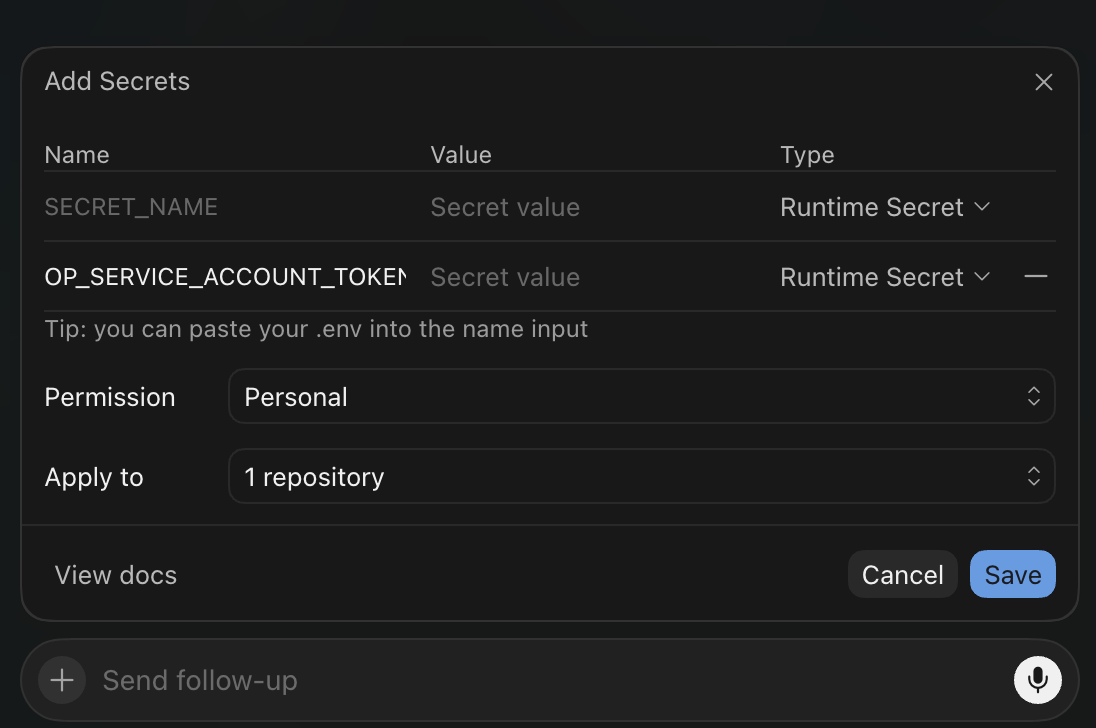
The secrets onboarding deserves its own callout. As the setup agent runs through the repo it works out which credentials the environment actually needs and prompts you with the Add Secrets dialog above: a row per secret, the type selector defaulting to runtime-redacted, a “paste your .env into the name input” shortcut that explodes a whole env file into rows, and scoping controls right in the dialog. You never leave the setup conversation to go hunt for a dashboard page. (That paste shortcut is something we saw in our own run; it isn’t in the docs, so don’t be surprised if the dialog looks different by the time you read this.)
The manual way is the same file, written by hand. Since Builds landed on August 13, the config has three phases with different jobs:
| Field | When it runs | Use it for |
|---|---|---|
install | During each Build, in the background | Installing dependencies, codegen, compiling, warming disk caches — must be idempotent |
start | At the start of each agent run | Starting Docker, databases, tunnels — things that don’t survive a snapshot |
terminals | At the start of each agent run | App processes in tmux terminals shared with the agent, each with a description the agent reads |
A minimal config points at a snapshot the agent made and says how to refresh dependencies:
{
  "snapshot": "snapshot-20260212-00000000-0000-0000-0000-000000000000",
  "install": "pnpm install --frozen-lockfile",
  "start": "sudo service docker start",
  "terminals": [
    { "name": "dev", "command": "pnpm dev", "description": "Astro dev server on http://localhost:4321/" }
  ]
}
Swap snapshot for build: { "dockerfile": "Dockerfile", "context": ".." } when you need system packages, a specific compiler, or a different base OS; the Dockerfile lives in .cursor/, shouldn’t COPY the project (Cursor manages the checkout), and must install git and sudo. A saved dashboard snapshot takes precedence over a Dockerfile, which trips people up. Builds use the config on the default branch, are free, keep pre-warmed copies ready, and a stale Build (default: older than 24 hours) gets rebuilt automatically. Snapshots persist for 90 days of inactivity.
Two more files matter. Secrets live in the dashboard’s Secrets tab in three flavors — plain Environment Variable, Runtime Secret (loaded as an env var but replaced with [REDACTED] in the agent’s tool output, transcript, and commits), and Build Secret (only visible to the Docker build) — and can be scoped to a user, a team, or a single environment. Environment-scoped secrets are the ones Builds can see; user secrets only arrive when an agent starts. If you’d rather not hold static tokens at all, a CURSOR_AWS_ASSUME_IAM_ROLE_ARN secret gets you hourly STS credentials, and agents can mint five-minute OIDC tokens from a socket in the VM. And AGENTS.md: cloud agents read it, the docs ask for “a dedicated section for Cloud-only setup and testing instructions, with a title such as Cursor Cloud specific instructions,” and the setup agent writes one for you. Ours, on this very site’s repo, is four paragraphs: the stack in a line, the dev/build/deploy commands, and the non-obvious caveats (which warnings are harmless, which secrets are optional). That’s the file Grok Bot’s Cloud Agents will read first.
Friction, honestly stated: environment and secrets config is web-only — “Agents on mobile use what’s already set up” — so it’s phone-browser work; the managed VM is a “default profile with limited memory and CPU” with no published size; cloud agents need a paid plan and bill at API model pricing behind a spend limit you set on first use.
Amp orbs: the runner-up, and how an orb gets set up
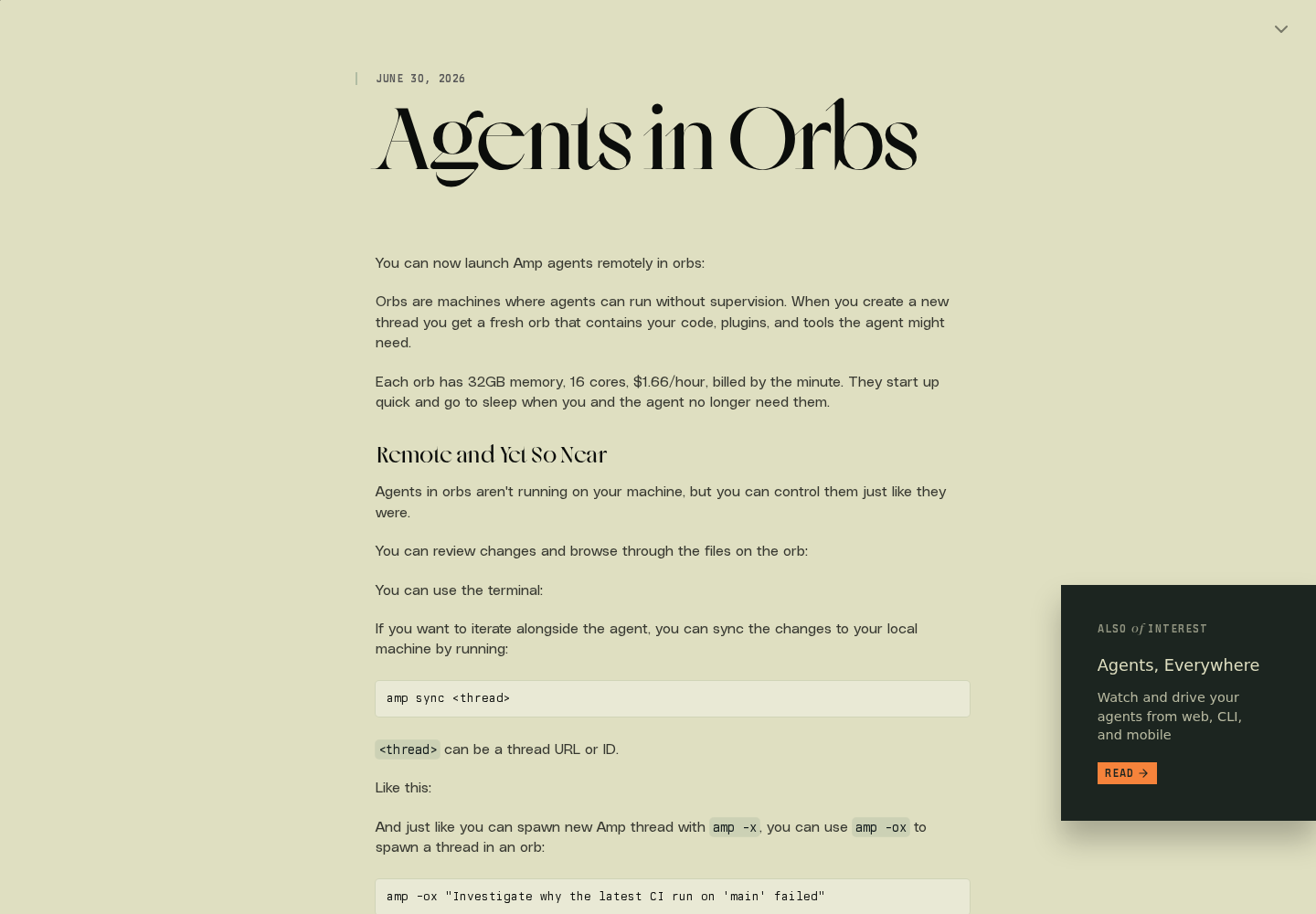
Sourcegraph’s Amp (now spun out as its own company, still at ampcode.com) arrived in this category last and has shipped more in the last ten weeks than anyone else in this survey. In July we called orbs “the wildcard, riding the thinnest phone surface of the four.” Since then: portals (August 6, real preview URLs into the orb), smaller and cheaper sizes (August 7), MCP in orbs with OAuth (August 19), pre-clone and pre-setup scripts (August 25), multi-repo projects (August 27), and an iOS and macOS app (August 28). Every red cell in the July matrix moved. What Amp still is: the platform where you own a whole machine per thread and the agent is the operator, rather than renting a loop. If Cursor’s model is “the agent demonstrates the app to you,” Amp’s is “here’s the box, go look.”
An orb is a Debian 12 machine Amp creates per thread with your repo, tools, and plugins already on it. Sizes and prices now run from tiny to xxlarge, all with 60 GB of disk:
| Size | CPUs | Memory | Price |
|---|---|---|---|
| a1.tiny | 1 | 2 GB | $0.08/hr |
| a1.small (default) | 2 | 4 GB | $0.17/hr |
| a1.medium | 4 | 8 GB | $0.33/hr |
| a1.large | 8 | 16 GB | $0.66/hr |
| a1.xxlarge | 16 | 32 GB | $1.32/hr |
Billing is by the minute; an orb pauses after five idle minutes and “a paused orb costs nothing, even if it sleeps for weeks.” The $20/month plan bundles 750 hours of small orbs. The July machine (16 cores, 32 GB, $1.66/hr) is now a1.xxlarge at $1.32.
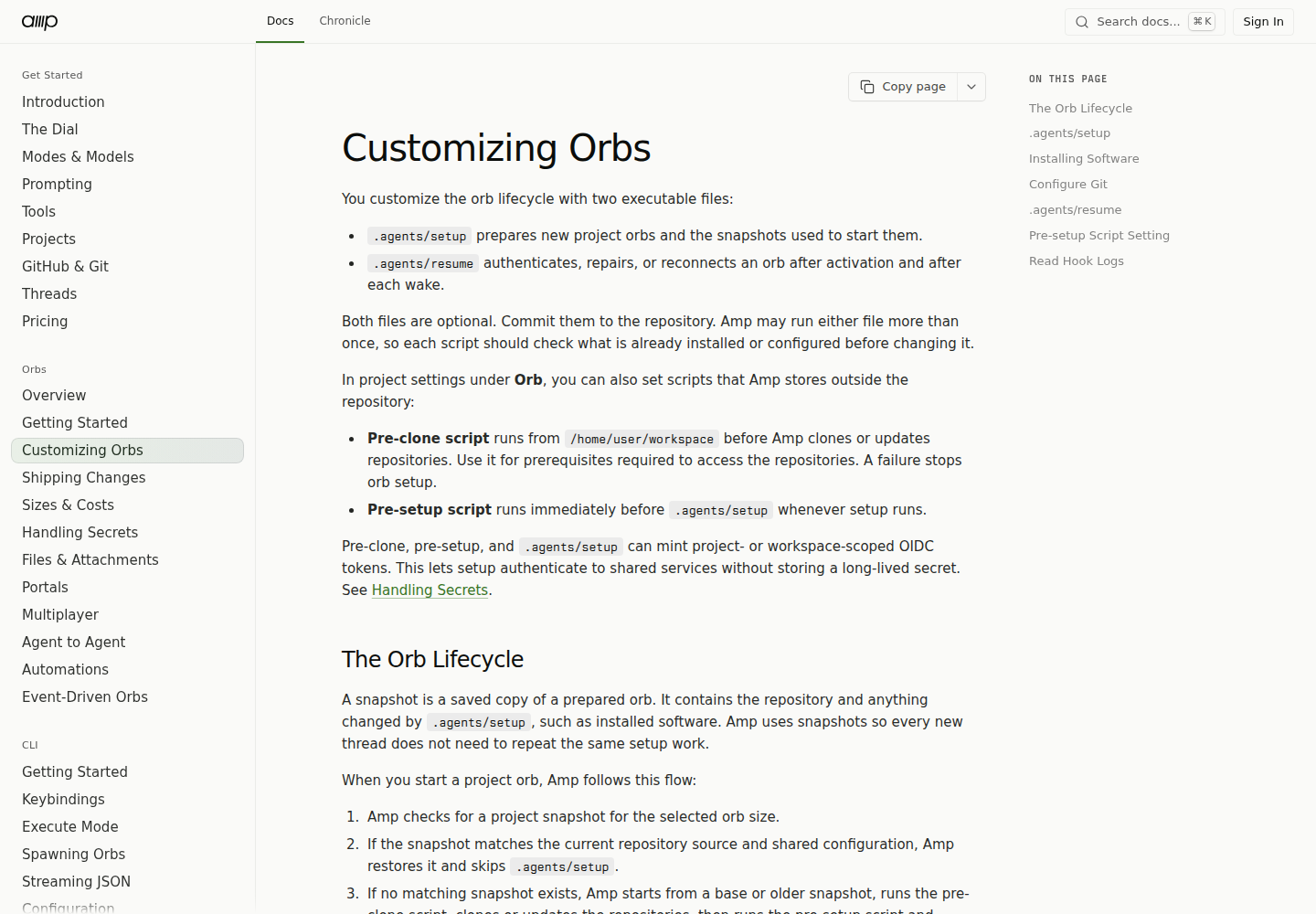
How an orb gets set up. Where Cursor’s answer is a dashboard-authored environment.json, Amp’s is two executable files you commit and one dashboard page you mostly ignore.
-
.agents/setupruns once on a fresh orb and its result becomes the snapshot every later thread starts from. It installs whatever the base image lacks (Bun, Node, pnpm, Python,gh,agent-browser, ffmpeg, and ripgrep are already there;glabisn’t) and must be idempotent. Two rules bite: Amp kills every process the script leaves running —&,nohup,setsid, all of it — so don’t start servers here; and setup is cut off at 20 minutes. Amp’s own setup script is 428 lines and starts Postgres withfsync = off, seeds test users, and writes orb-specific guidance into~/.config/amp/AGENTS.md. The documented minimum is five:#!/usr/bin/env bash set -euo pipefail corepack enable pnpm install --frozen-lockfile [ -f .env.local ] || cp -- .env.example .env.local -
.agents/resumeruns after every activation and wake, once thread environment and workload identity are available — the place to re-authenticate, reconnect a tunnel, or repair anything the pause broke. Amp waits up to ten seconds for it. -
Pre-clone and pre-setup scripts (August 25) live in project settings, not the repo, for the chicken-and-egg cases: Git extensions that fetch during checkout, certificates for an internal Git host, a Tailscale join that has to happen before the clone. You can write them by hand or ask Puck, Amp’s assistant, to inspect the repo and draft them.
-
Snapshots are matched to orb size and current source; Amp reuses one for up to 72 hours before refreshing.
amp projects snapshots listanddeletemanage them. Multi-repo projects check out up to 20 extra repos into adjacent directories, but only the primary repo’s setup script runs.
Starting one is a flag: amp -ox "task" spawns an orb thread and prints its URL; --orb-size a1.large picks the box; git diff main | amp -ox "…" pipes context in. On the web it’s New Thread with the executor set to New Orb; in Slack it’s @Amp, which routes to Puck, which can start an agent in a project; from another agent it’s a delegation with a size hint. amp sync <thread> mirrors an orb’s changes into whatever checkout you’re at later. Shipping is a project-level setting — commit to base, push to a branch and get a PR URL back, or a custom prompt — and since August 28 orb commits carry a verified git identity that can differ from your Amp login.
The three seams, in Amp’s version:
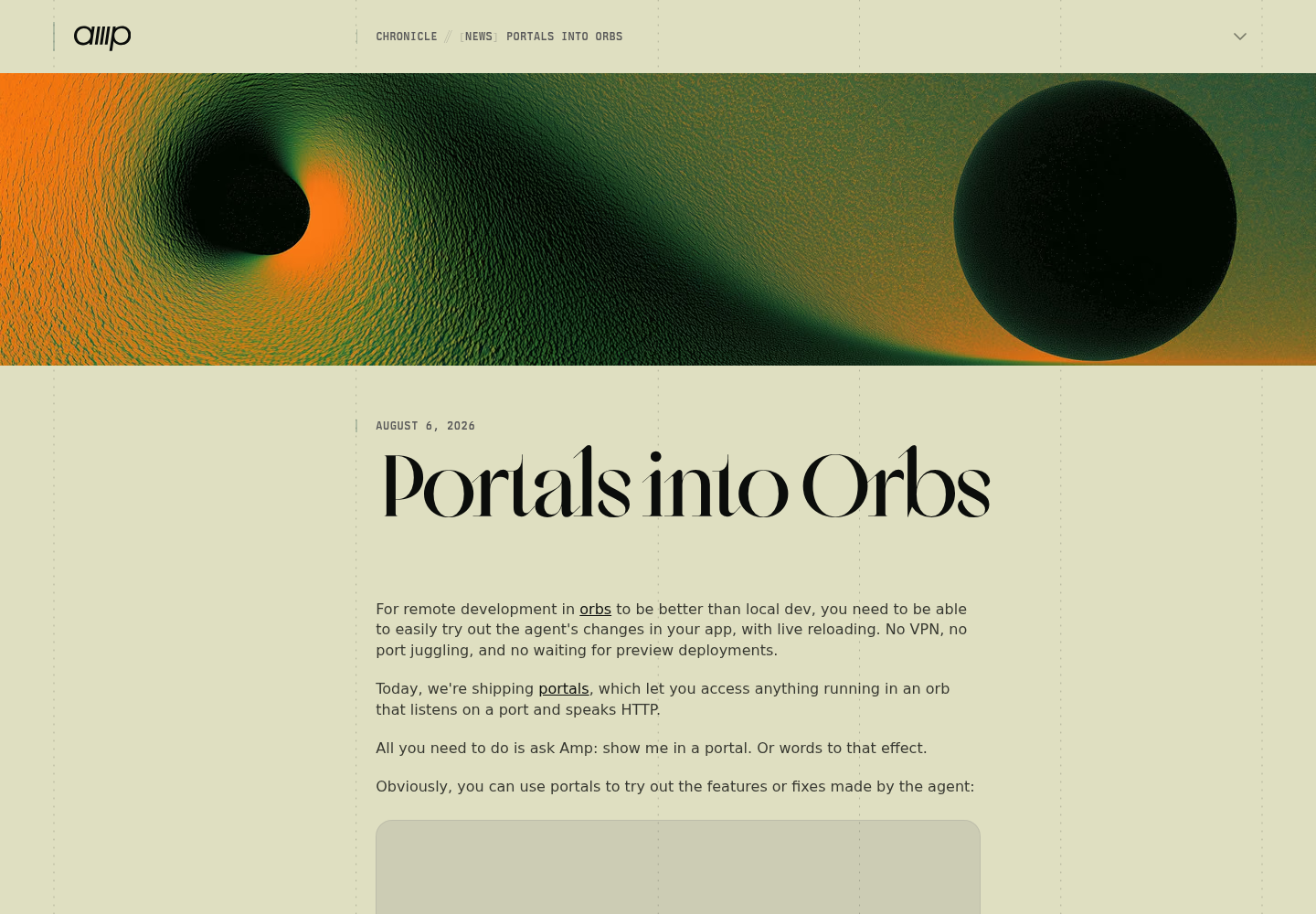
- Seeing the app. Fixed. Say “show me in a portal” and the agent writes
.amp/services.yaml, runsamp orb services ensure, and you get an authenticated HTTPS URL —t-<thread>-p<port>.onamp.dev, oryourapp--you.onamp.devand custom domains since August 23 — into anything in the orb that speaks HTTP, with live reload. The app has to honor$PORTand$PUBLIC_URL. A review widget injected into the page lets you tap an element and send the comment straight to the agent. Access is thread viewers by default, with time-limited public sharing. This is the phone-tappable pre-deploy preview that nobody had in July, and it’s the best version of it anyone ships.
- Reaching your infra. Still the most novel answer. Every orb has an OIDC workload identity —
amp orb id-token --audience …mints a short-lived JWT whose claims carry workspace, project, user, and thread — and providers that trust the issuer (Google Cloud, AWS, Tailscale, with worked examples for each) hand back scoped credentials with nothing injected. It’s available during setup too, so the setup script can authenticate to shared services without a stored secret. Where OIDC doesn’t reach, secrets are env vars with three scopes (workspace, project, personal; personal wins) and an audit history. The July gap closed: remote MCP servers are registered once withamp mcp remote --project acme/app add Linear https://mcp.linear.app/mcp, OAuth’d on ampcode.com, and available in orbs, the TUI, runners, and Puck. The Vercel MCP pattern follows you in now. What doesn’t travel is the MCP config on your laptop. - Jobs triggering jobs. Agent-to-agent spawning (fresh orbs, or any machine running
amp --no-tuias a runner), self-scheduling automations that wake with full context, and event-driven orbs (July 23): a plugin registers a webhook, GitHub deliveries are signature-verified and deduplicated, and an idle orb wakes into a read-only thread with the event metadata. The switchboard is inside the agent. The orchestrator isn’t a cron table, it’s another thread.
The phone. There’s a real iOS app now, but it’s a TestFlight beta that requires iOS 26, and its notification is “the thread is ready for your next message” rather than a rich push. Dictation works in the app; “Talk to Puck” (August 18) is real-time voice control of the assistant, which is the closest anyone has come to “grill me by voice, then launch the agent” — we haven’t run it end-to-end and won’t grade it green until we have. Multiplayer (share the orb, the terminal, and the portal with a teammate for a week) and in-thread calls with screenshare round out a collaboration story Cursor doesn’t have. If you drive from Slack and the web, Amp is fully there; if you live in the phone, it’s a month behind Cursor and closing.
Codex Cloud: the best phone app, the most walled cloud
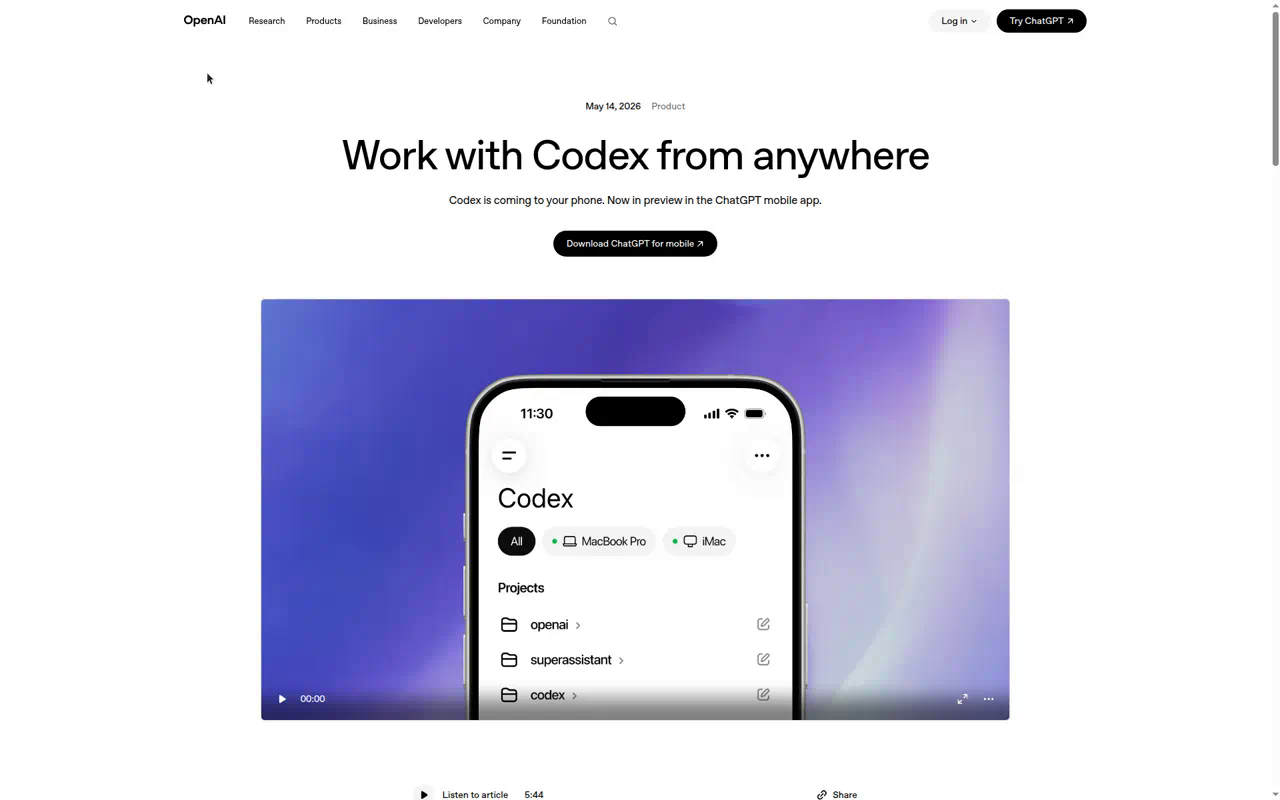
Codex has had phone-launched cloud tasks the longest (iOS since May 2025), and the May 2026 mobile push made the ChatGPT app a first-class Codex surface: task list, live diffs, terminal output, screenshots rendered in the thread, approvals as tappable cards, model switching, push notifications on turn completion. Voice is dictation — there’s still no way to run the grilling interview in actual voice mode and have it launch the task.
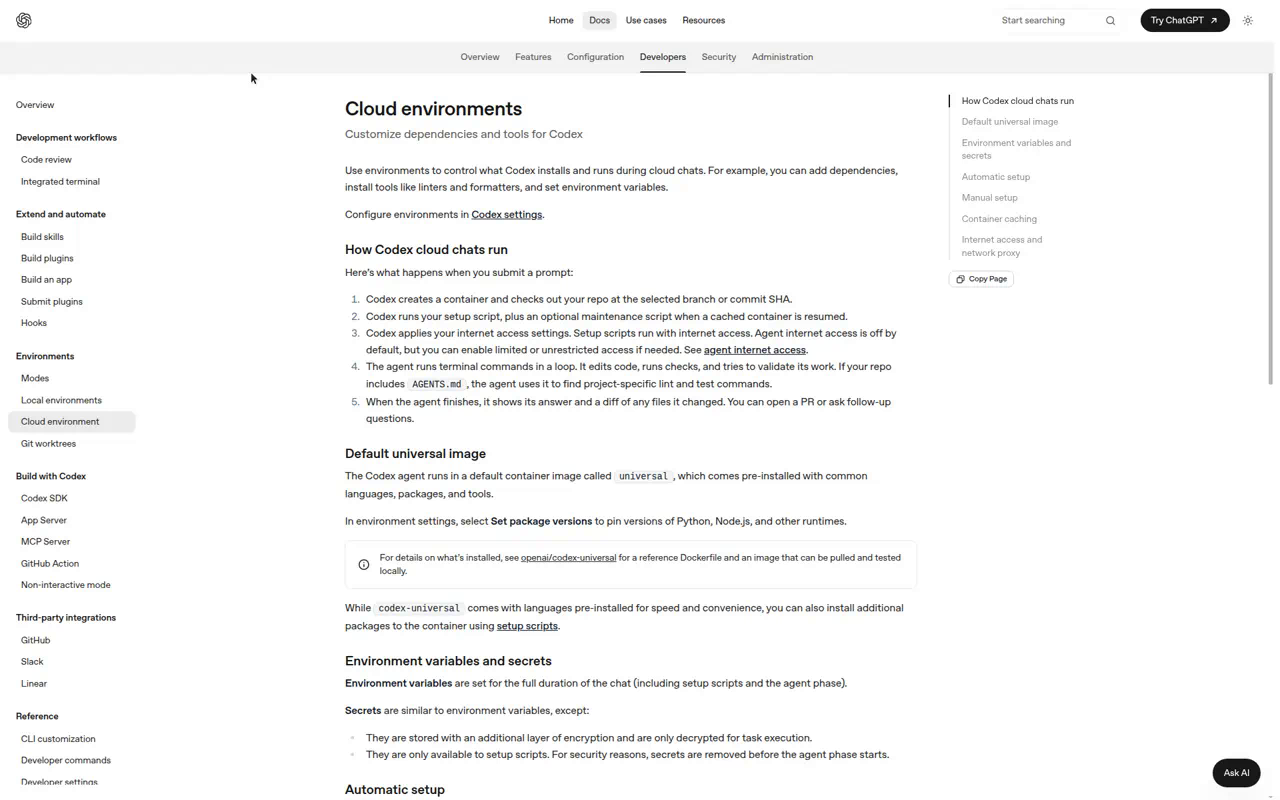
The architecture is distinctive and it explains everything else: each task runs in a container with two phases. Setup (network on, secrets available) then agent (network off by default, secrets removed). Per the environments docs, secrets “are only available to setup scripts” and are stripped before the agent starts; internet during the agent phase is opt-in with domain allowlists. It’s the most security-conservative design in the survey — and it’s why the phone-only story is weakest here:
- No MCP in cloud tasks. MCP works in the CLI, IDE, and desktop app — not in the hosted containers (open feature request). Your Vercel MCP does not follow you into a Codex cloud task; the workaround is REST calls against allowlisted domains with tokens as plain env vars, which fights the secrets design.
- No cloud scheduler. Codex Automations exist but run on a Codex app host that must be powered on — a Mac mini in your closet, which is exactly the laptop-shaped dependency we’re trying to delete. Composition via GitHub Actions cron +
codex cloud execworks but you’re building it yourself. - The loop is PR-shaped and good.
@codex review, automatic review of every PR,@codex fix the CI failuresfrom a GitHub comment, follow-ups that reuse the warm container, best-of-N attempts. Screenshots of front-end work render in the task thread. For verify-by-preview you lean entirely on Vercel’s PR integration.
If your project is “agent writes code, humans own everything around it,” Codex Cloud is polished. If your project is “the agent owns the deploy loop too,” you’ll hit the walls fast. Nothing we found in the July–September changelogs moves those walls.
Claude Code on the web: the portable brain, the rough cage
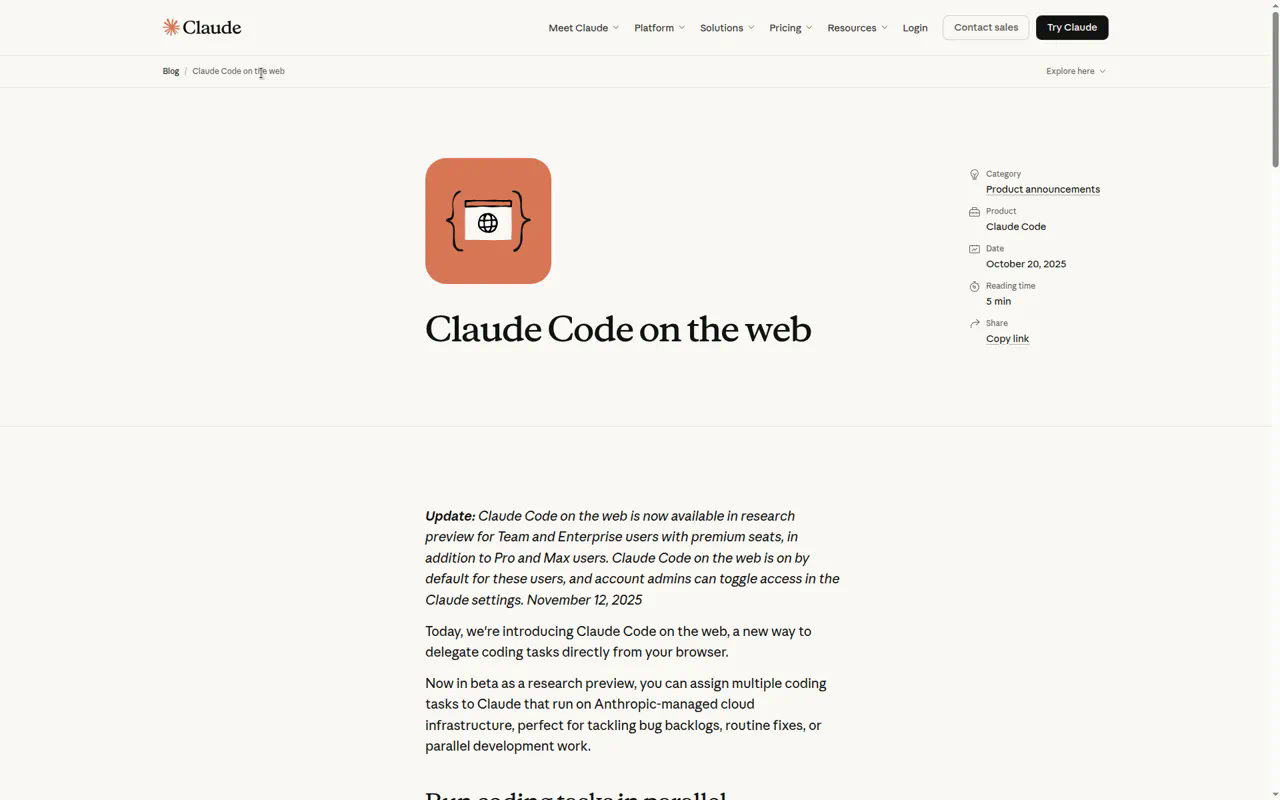
Claude Code’s cloud sessions (claude.ai/code, still labeled research preview) run in Anthropic-managed sandboxes and surface as a Code tab in the Claude mobile app: start sessions on GitHub repos, steer mid-run like any conversation, leave inline comments on diffs, tap out a PR. Push notifications (“push when Claude decides”) arrived in April. The --teleport escape hatch pulls a cloud session down to a CLI — the inverse of phone-first, but a good sign the session state is portable.
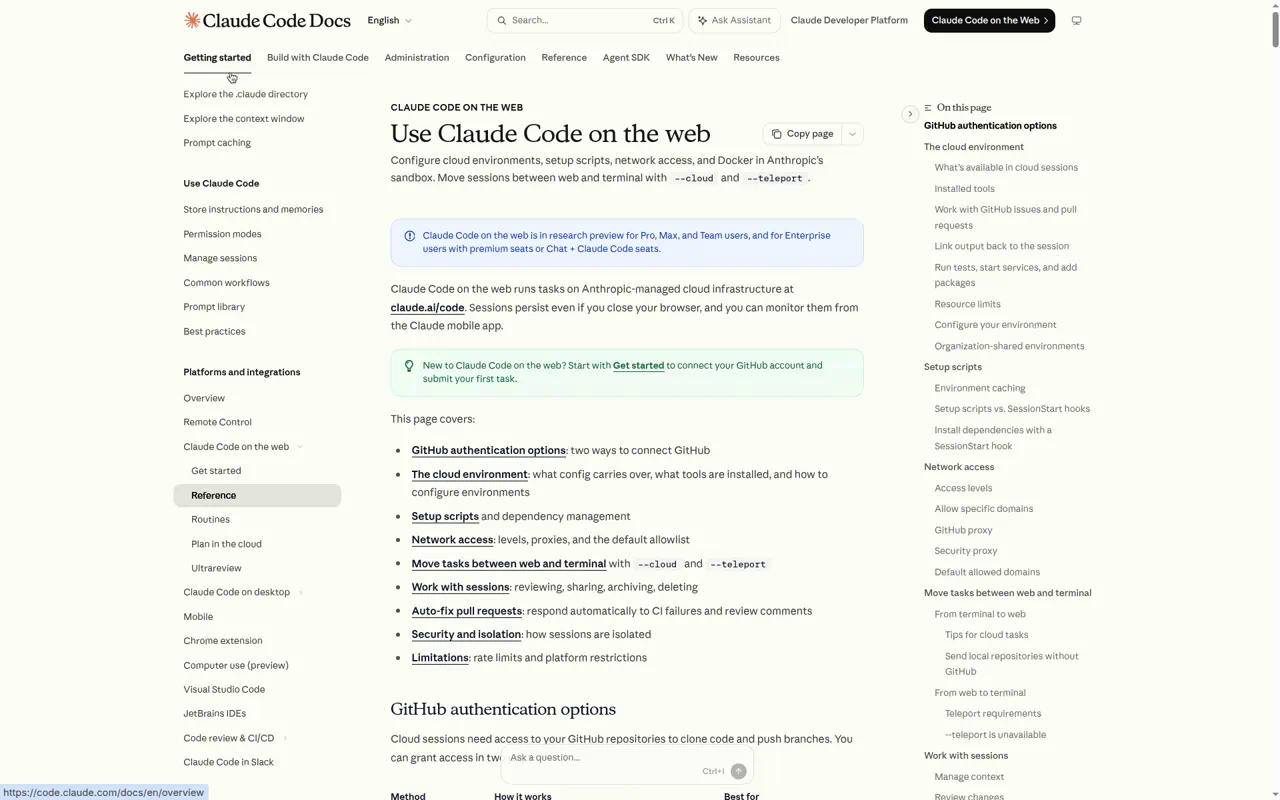
What’s genuinely differentiated: the harness travels with the repo. CLAUDE.md, .claude/skills/, .claude/agents/, hooks in .claude/settings.json, and .mcp.json all load in cloud sessions. Our grill-with-docs / to-spec / prototype skills are repo files — on Claude they’re available to the cloud agent automatically, no dashboard configuration. Sandboxes are beefy (4 vCPU / 16 GB, Docker, Postgres 16 and Redis preinstalled) with allowlist-proxied networking and a git proxy that keeps real credentials out of the VM entirely.
The rough edges are real, though:
- No secrets store. The docs are blunt: env vars sit in plaintext in the environment config, visible to anyone who can edit it. Every provider token you give a cloud session is a leap of faith.
- MCP is working-but-fragile. Connectors and
.mcp.jsonare supported, but 2026 issue history is full of cloud sessions silently loading only the GitHub MCP and dropping the rest. Verify per repo before betting the workflow on it. - You can’t see the app. No port forwarding, no preview pane on web/mobile (the browser preview is a desktop-app feature). Claude can drive a headless browser inside the sandbox to test its own work, but your eyes on the app means a Vercel preview URL, full stop.
- Looping exists with caps. Routines do cron / HTTP-trigger / GitHub-event runs — but minimum 1-hour intervals and 5–25 runs per day depending on plan. Auto-fix PRs covers the CI loop nicely.
Part IV — The supporting stack (the part the vendors don’t ship)
None of the platforms has a first-party database, DNS, or hosting story (Cursor’s Origin, in early beta, is the first crack in that — hosting your repo, not your app). The phone-only project outsources all of it, and the outsourcing is in better shape than the agents:
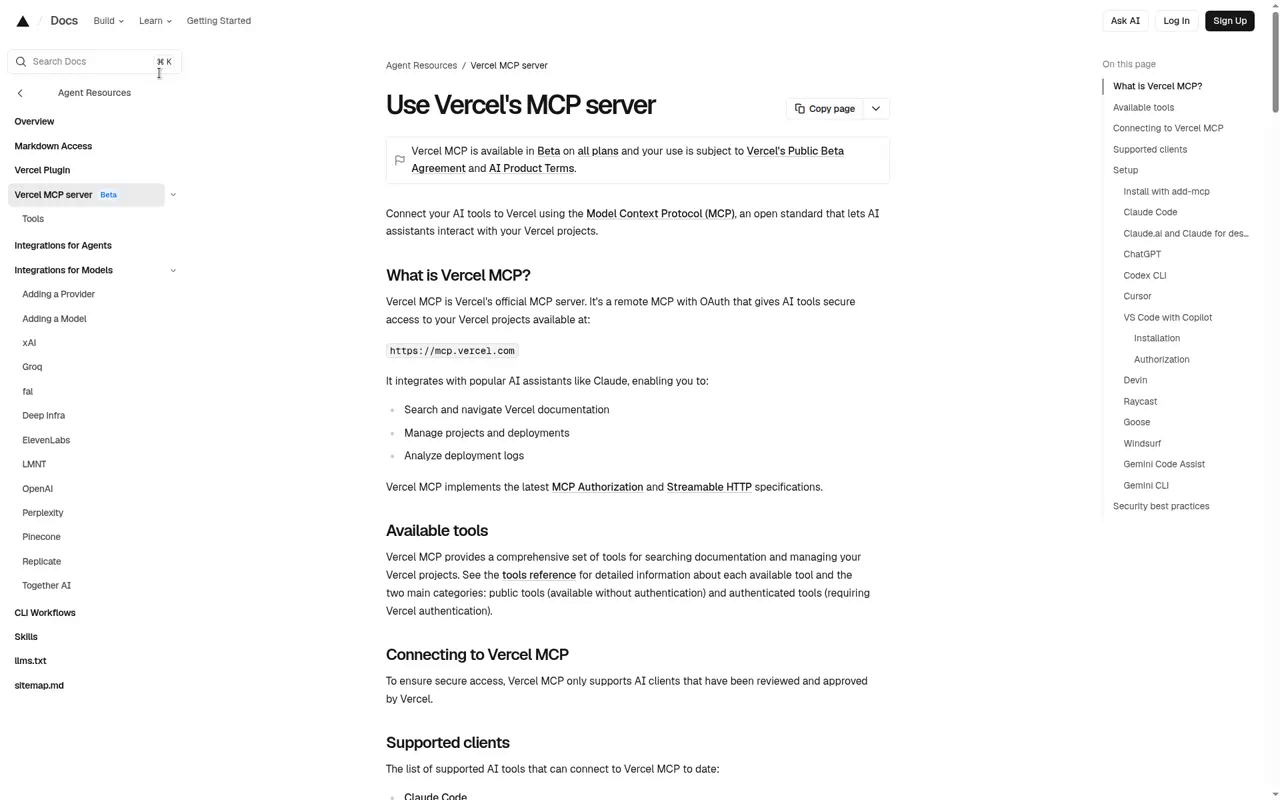
Vercel is the preview loop. Git integration deploys every PR to a unique preview URL, posted as a PR comment — tappable from GitHub Mobile or the Cursor iOS PR view. The Vercel MCP has grown past read-only: deployments, build/runtime logs, toolbar comment threads (leave feedback on the preview; the agent reads and resolves it — a full review loop with no laptop), temporary access links for protected previews, and a quote-then-confirm domain purchase flow. The non-MCP fallback everywhere is VERCEL_TOKEN + CLI in the agent’s VM.
v0 is the prototyping surface. The v0 iOS app generates full-stack Next.js UI from a prompt, previews it on-device, connects GitHub, and installs Neon/Supabase integrations with a tap. For the “show me three viewpoints before we spec” stage, v0-on-phone plus our prototype skill’s variant-switcher pattern (one route, ?variant= param, deployed to a preview) covers it.
Databases branch per preview. Neon’s Vercel integration creates a copy-on-write Postgres branch for every preview deployment and injects the connection string into just that deployment — schema changes ride the same PR loop as code. Neon and Supabase both ship remote MCP servers with OAuth; both vendors say the same thing in bold: don’t point a write-capable MCP at production. The 2025 Supabase lethal-trifecta incident (prompt-injected support ticket exfiltrated tokens via execute_sql) is the canonical warning. Branch, review, merge yourself.
DNS and domains are now agent-reachable. Vercel MCP can quote and buy a domain conversationally (gradual rollout); Cloudflare’s Registrar API (beta) plus its DNS API and MCP servers cover the point-and-verify loop with scoped tokens. Both gate purchases behind confirm flows. An agent buying and pointing a domain from a task you dictated at a stoplight is no longer science fiction — it’s a settings page and a confirmation tap.
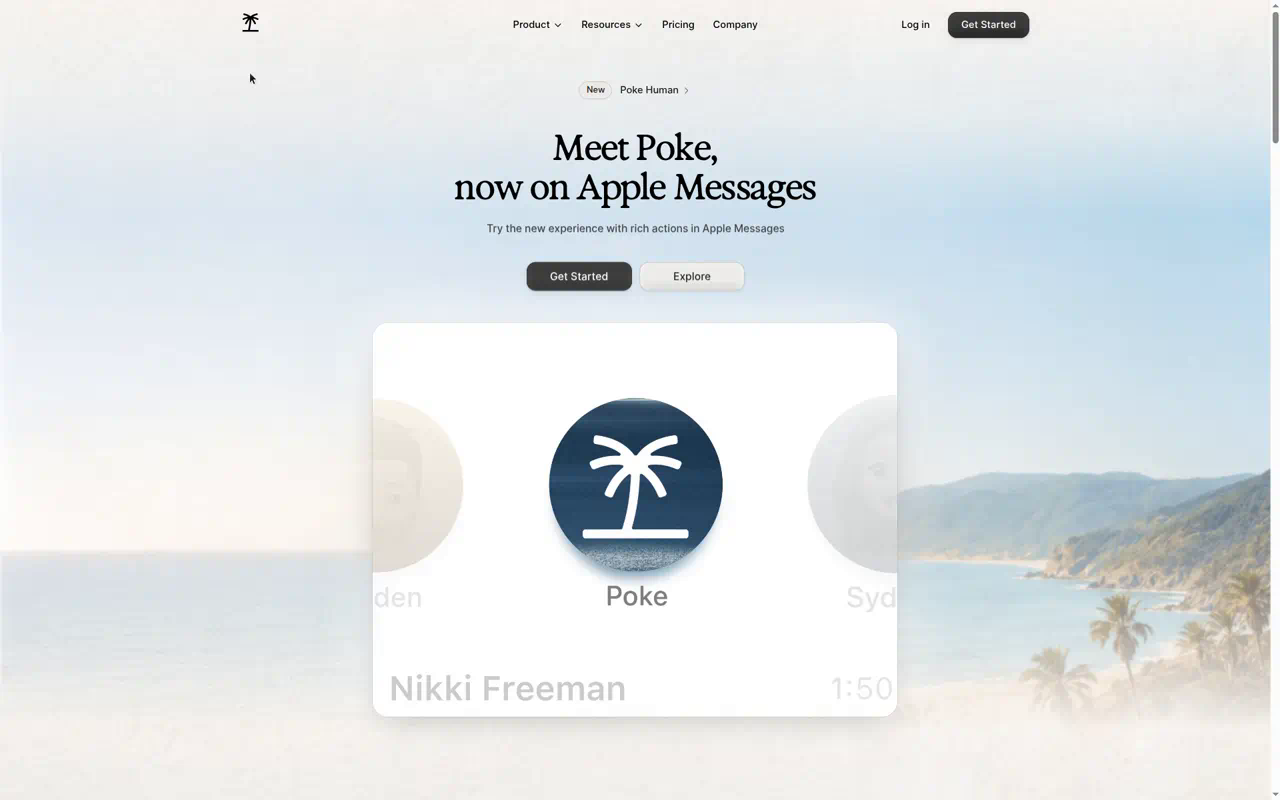
Poke is the switchboard — or Grok Bot is. Our existing Poke setup — texting an assistant in Messages that runs ops against the Mac and the org — extends to this world natively: Poke’s integrations include Cursor Cloud Agents, Vercel, Supabase, and GitHub, and its inbound API accepts webhooks. Wire Cursor’s completion webhook (or a GitHub Action) at Poke and the whole dispatch-and-review loop lands in the one thread you already read, with iMessage dictation as the zero-setup voice bridge. Since June, Poke is the first AI agent approved on Apple Messages for Business. Grok Bot is the same idea one layer down: it is the thing you text, it has routines that fire on Slack and GitHub events, and it starts the Cloud Agent itself instead of calling an API to do it. Poke wins on where the notifications land (Messages); Grok Bot wins on not needing the glue.
GitHub Mobile is the merge button. Full PR review and merge, Actions logs, re-runs, workflow_dispatch with typed inputs from the phone, push notifications on failed runs — and the human-approval gate on bot-created workflow runs turns out to be a feature here: the runaway-loop breaker is a tap on your phone.
Part V — One project, phone only: the walkthrough
Here’s the whole thing assembled, using the pieces that exist today, in the configuration we’d actually run: Grok Bot as the front door, Cursor Cloud Agents as the engine, the environment on Cursor. Where Amp does the step differently, it’s in parentheses. This is roughly how we’d run the next walking-thoughts-shaped project — that repo already has the skills committed (grill-with-docs, prototype, to-spec, to-tickets, implement), Vercel PR-only deploys, and per-environment secrets, which is exactly the shape that makes phone-only work.
- Environment (once, before anything). From a phone browser, open the Cloud Agents dashboard, start guided setup on the repo, and let the setup agent install deps, ask for the secrets it discovers it needs (
VERCEL_TOKENproject-scoped,NEON_API_KEY, Clerk test keys — all runtime-redacted), verifypnpm dev, and complete a Build. Commit the.cursor/environment.jsonit proposes and let it write theCursor Cloud specific instructionssection intoAGENTS.md. Add the Vercel MCP once in the dashboard and OAuth it once. Then create a Bot in Grok Bot with a job description and one standing rule: repo work goes to a Cursor Cloud Agent. (Amp: commit.agents/setup, add project secrets or an OIDC trust, register the Vercel MCP withamp mcp remote --project, done.) - Intake (voice, 10 min). Dictate the idea into the Bot — Wispr Flow’s iOS keyboard if you want technical-vocabulary accuracy, plain iOS dictation if not. Tell it to run
grill-with-docsin a Cloud Agent. Answer one question at a time as the agent’s questions come back through the card. The skill writes ADRs and a glossary into the repo as you talk. (Amp:amp -oxfrom Slack via @Amp, or try Talk to Puck.) - Prototype (15 min, hands off).
prototypebuilds three UI variants on one route behind?variant=; the agent pushes a branch; Vercel comments a preview URL; you swipe between variants on the phone. Reply with the winner and two gripes, by voice. (Amp: skip the deploy — “show me in a portal” and swipe the portal URL.) - Spec and tickets (5 min review).
to-specsynthesizes the conversation into a spec in the tracker;to-ticketsslices it into blocked vertical slices. You read it on the phone and fix the one wrong decision. This document is the alignment artifact — everything downstream inherits it. - The loop (the rest of the day, mostly not yours). “Implement ticket 1.” The Bot spawns a Cloud Agent from the active Build; it claims the ticket, TDDs at the agreed seams, runs the suite, clicks through the flow in its VM browser, attaches the video to the draft PR, and subscribes itself to that PR. Vercel builds the preview; Neon branches the database for it. Grok Bot pushes → you watch the 40-second video → tap the preview → leave a toolbar comment on the preview itself → the agent reads it and pushes the fix. CI red? Auto-fix handles the first ten rounds. Merge from GitHub Mobile or the Cursor app. Remember to flip Source → Grok Bot in cursor.com/agents or you won’t see the agent listed.
- Chaining. A Grok Bot routine (or a Cursor automation) watches for PR-merged events: when ticket n merges, it starts ticket n+1 if the graph says it’s unblocked, and tells you. Nightly, a scheduled routine runs the dependency-bump-and-test job. (Amp: the ticket-runner agent spawns the next agent itself and schedules its own follow-ups; a GitHub webhook wakes it when the merge lands.) Your involvement is decisions and merges.
- Ship. Merge to main → Vercel production deploy. “Check the domain” → Vercel MCP quotes it → you confirm the purchase → DNS points → the project is live at a real URL, and the laptop never opened.
Every step above is documented vendor behavior or a committed skill — nothing hypothetical. The honest asterisks: step 1’s dashboard work is phone-browser work, not phone-app work, on both platforms; step 5’s toolbar-comment loop needs the Vercel MCP wired into the agent; the Bot-launched agents currently lose the review skills and may run in Fast mode until Cursor fixes both; and if you’d picked Codex for step 5, steps 1, 5, and 6 mostly fall apart (no MCP, secrets don’t reach the agent, no cloud scheduler).
Part VI — What’s still missing
Voice is dictation almost everywhere, conversation almost nowhere. Every surface gives you a mic that fills a text box. The thing the spec stage actually wants — a hands-free back-and-forth that ends with a dispatched task — has exactly one candidate: Amp’s Talk to Puck, two weeks old and unverified by us. Grok Bot, which is architecturally the right place for it (it already dispatches), is dictation-only. The best available approximation is still ChatGPT voice mode for the thinking, then paste-and-dispatch into the Bot. First vendor to ship “grill me by voice, then launch the agent” wins the commute.
Previews stopped at the VM wall, and Amp knocked the wall down. In July nobody offered a phone-reachable URL into the sandbox’s dev server. Amp’s portals do exactly that now, with live reload and a review widget, and it makes the “agent changed a color, you saw it” loop seconds instead of a preview build. Cursor’s answer is still the agent-demonstrates-it video for repo-backed agents, plus a live preview only for from-scratch Origin projects. That’s the one axis where the preferred stack is behind the runner-up, and it’s the feature we’d most like Cursor to copy.
Secrets discipline is four different philosophies. Codex: secrets can’t reach the agent at all (safe, limiting). Cursor: redacted runtime secrets, environment-scoped, with OIDC and IAM role assumption if you want to skip static tokens (the right call today). Claude: plaintext env vars and an apology in the docs. Amp: identity instead of secrets — OIDC claims and short-lived tokens, which is probably the endgame, but only for providers that speak OIDC. Until these converge, the practical rule is scoped, revocable, per-project tokens only — the agent’s VM should never hold anything you’d cry about rotating. And a new wrinkle: Grok Bot’s Bots share one computer per user and “act as the signed-in member,” so a Bot is not a security boundary. Give the Bot what you’d give yourself, and nothing more.
Looping is real, and the orchestrator layer is brand new. Cursor’s Subscriptions and Amp’s event-driven orbs both shipped this summer and both make “finishing one job starts the next” a property of the agent rather than a webhook you maintain. What’s new is a layer above them — Grok Bot — that’s three weeks old and leaking at the seams: hidden agents, wrong speed defaults, missing review skills, undocumented transport. It’s the right shape. It’s not the finished thing. Give it a quarter, and keep the Cursor dashboard open in another tab.
The reviewing bottleneck doesn’t move. Same conclusion as the World’s Fair report: the model isn’t the constraint, your attention is. The phone actually helps here — it enforces small diffs, demo videos, and decision-sized interruptions, which is the alignment discipline the skills loop encodes anyway. The phone is a forcing function for working the way you should have been working.
Method
Desk research against vendor documentation, changelogs, and announcement posts for xAI Grok Bot, Cursor, Sourcegraph Amp, OpenAI Codex, Anthropic Claude Code, Vercel, Neon, Supabase, Cloudflare, and Poke, cross-checked with third-party writeups and vendor forum threads where the docs were silent, using our tech-researcher workflow (parallel research agents, primary sources preferred, uncertainty flagged inline). The survey was first run July 20, 2026, with the Amp section added July 23. The September 3 revision re-researched Grok Bot, Cursor’s environment setup and July–September changelog, and Amp’s orbs from scratch; the Codex and Claude Code sections stand as researched in July and were not re-verified against their late-summer changelogs. Screenshots of the Grok Bot announcement, Cursor and Amp docs, and Amp’s portals post were captured September 3; the rest on July 20–23, the Cursor Add Secrets dialog from our own onboarding run. Claims about our own workflow reference the committed skills in the walking-thoughts repo and prior Labs reporting. Nothing here is a paid placement; nobody’s PR team saw it first. Where a capability was ambiguous or undocumented (how Grok Bot calls Cloud Agents, whether it posts the PR link back, Amp’s orb retention policy, Cursor’s VM size, the paste-your-.env shortcut) we’ve said so rather than rounded up.